Live Markdown Preview
Open editor

Free · open source · works offline once loaded

A little space for your ideas.

Write Markdown on the left, watch it take shape on the right. Your drafts stay in this browser: no account, no server, no tracking.

Chrome, Firefox and Safari · desktop and mobile · MIT license

welcome.md Saved in this browser
Preview
Try it: this demo is editable. It uses a simplified renderer; the real editor speaks full GitHub Flavored Markdown.
0servers see your text: the page is static, everything happens on your device
19color schemes, from GitHub Light to Catppuccin, Dracula and Nord
No sign-upopen the page and start writing; drafts are saved as you type
Features

Everything a Markdown draft needs. Nothing it doesn't.

The editor

Source and preview, side by side.

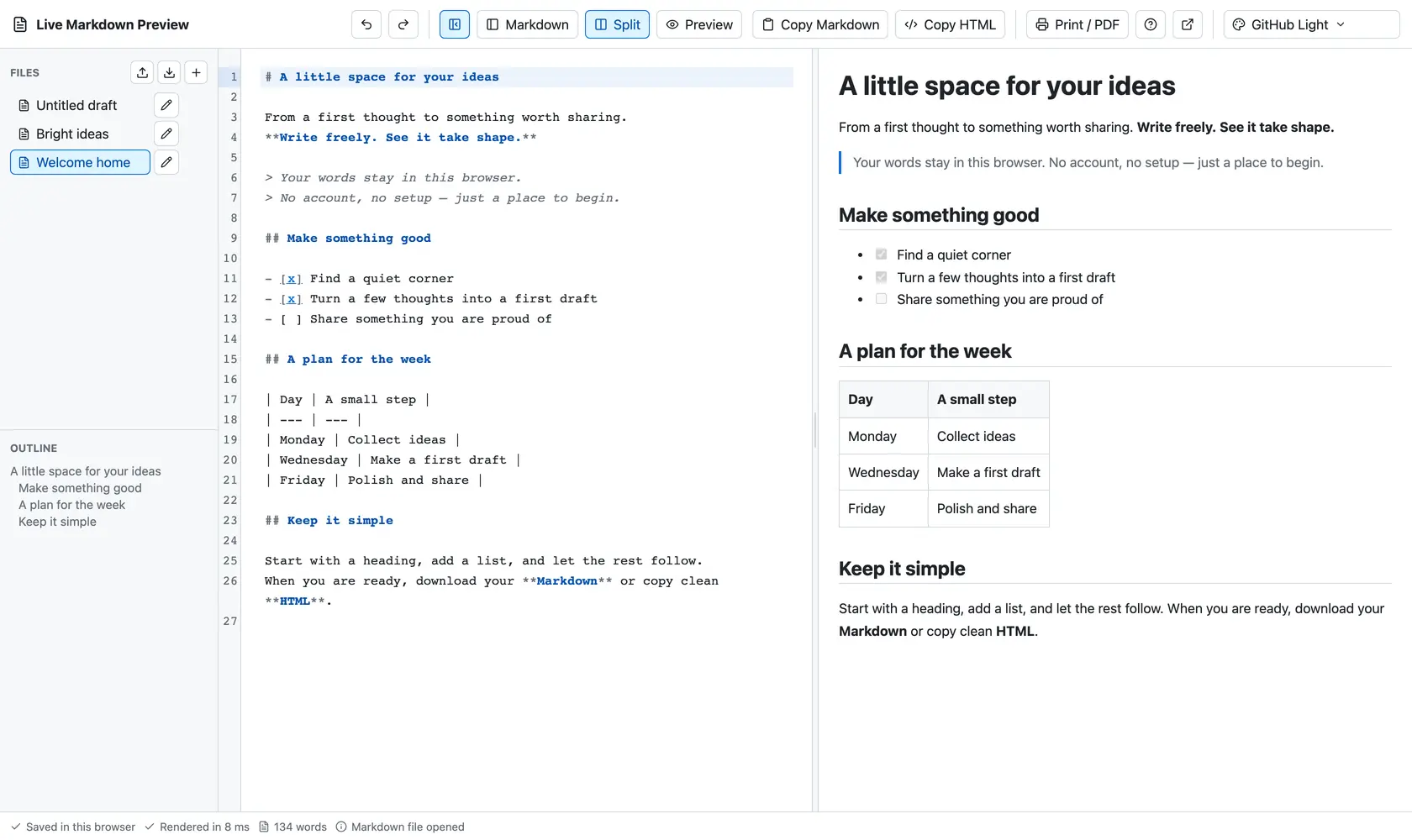
The editor in GitHub Light: files and outline on the left, Markdown source in the middle, live preview on the right
Files and outline on the left, Markdown in the middle, the live preview on the right.

Color schemes

Make yourself at home.

The editor ships 19 color schemes for the source and the preview. Pick one here to repaint the demo above; inside the editor, your choice is remembered.

Privacy

Your words never leave this browser.

  1. 1

    You type

    CodeMirror edits the source. The page is static files, with no backend to send anything to.

  2. 2

    A worker renders

    unified and remark turn Markdown into HTML in a background thread.

  3. 3

    DOMPurify cleans

    Scripts, event handlers, frames, forms and unsafe links are removed before anything is shown.

  4. 4

    IndexedDB keeps

    Drafts and preferences are saved locally on this device. No analytics, no telemetry.

Local means local: drafts live only in the browser and on the address where you wrote them. Clearing site data deletes them, so download important files as .md.

Start with a heading. Let the rest follow.

Open the editor

Featured on Product Hunt ↗